Own or operate a flight school? We built this for you.
Need an affordable way to keep your operations and flight training organized? PartFive puts your instructors, students, aircraft, schedule and records in one place, without enterprise prices or a six-month rollout.
Free during early access · works in any web browser
Running a school shouldn't mean running five spreadsheets.
A whiteboard schedule and double-booked airplanes
One schedule that won't let you double-book an aircraft or instructor.
Chasing student balances at the end of the month
Each flight charged to the student's account automatically.
Digging through folders when an inspector asks
Every record signed, dated and one click away.
Your whole operation, organized.
Scheduling and dispatch
Book aircraft, instructors and students with conflicts blocked automatically. Grounded aircraft can't be dispatched.
Student accounts
Set aircraft and instructor rates. Flights are charged at check-in, and balances are always up to date.
Training and curriculum
Syllabi, lesson progress, stage checks and graduation, for every student and every instructor.
Compliance tracking
Medicals, flight reviews, TSA citizenship checks and instructor currency, with reminders before anything lapses.
Safety management
Safety reports, risk assessment and corrective actions, the way 14 CFR Part 5 lays it out.
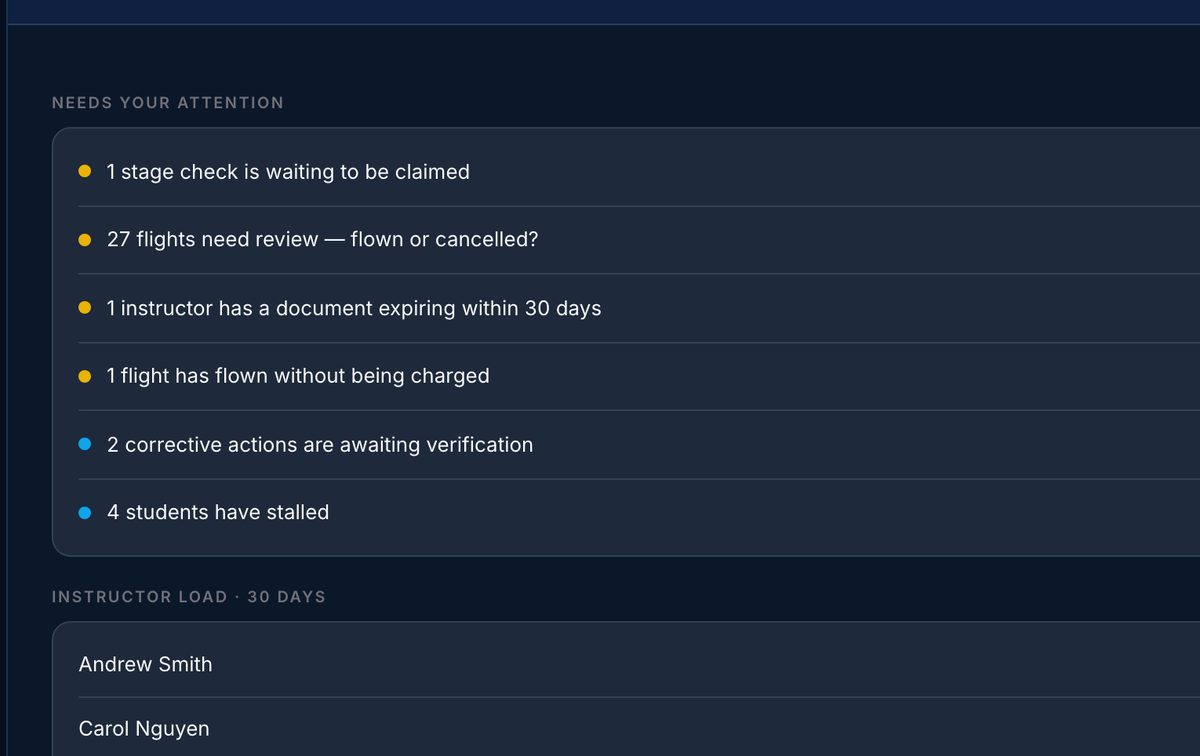
Chief instructor's overview
One screen that shows what needs attention today, from stalled students to waiting approvals.
Real screens from the web app.
Everything your team needs, in one web app that runs in any browser.
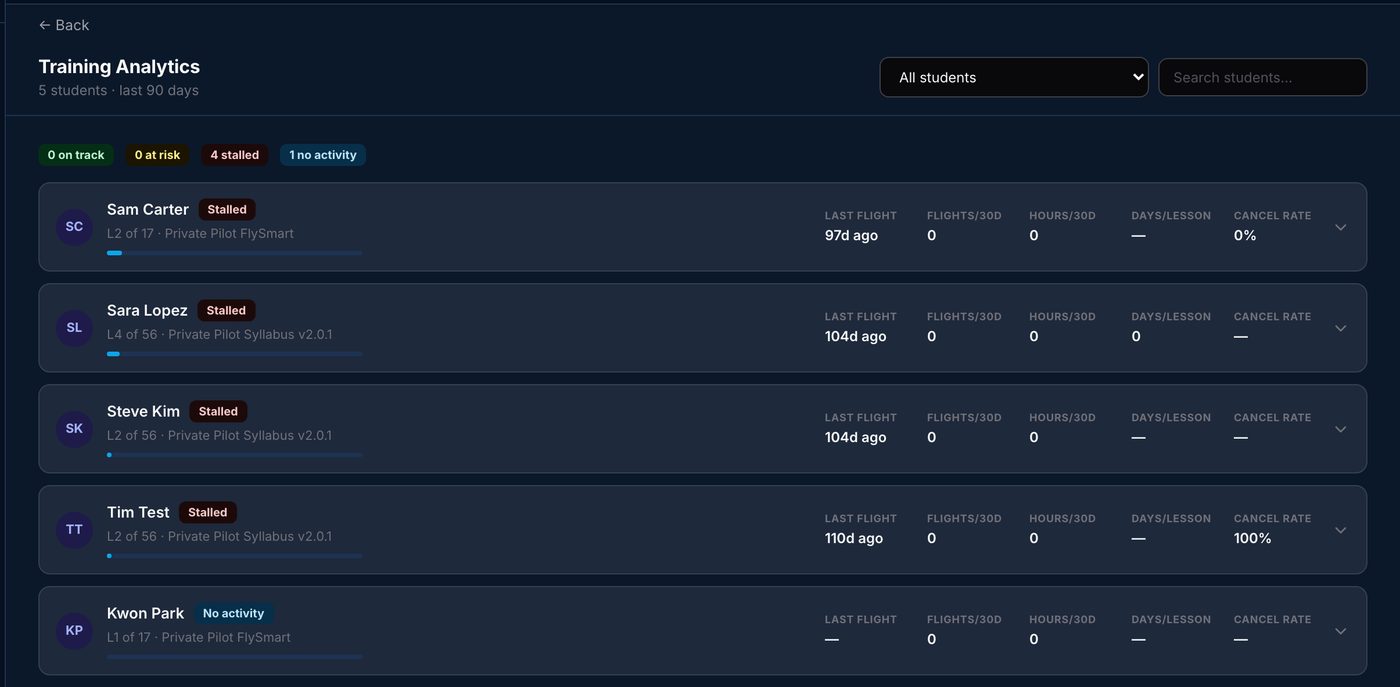
See every student's progress, and who has stalled
Each student's place in the syllabus, when they last flew and how often. Students who haven't flown in two weeks are flagged, so nobody quietly drops out.
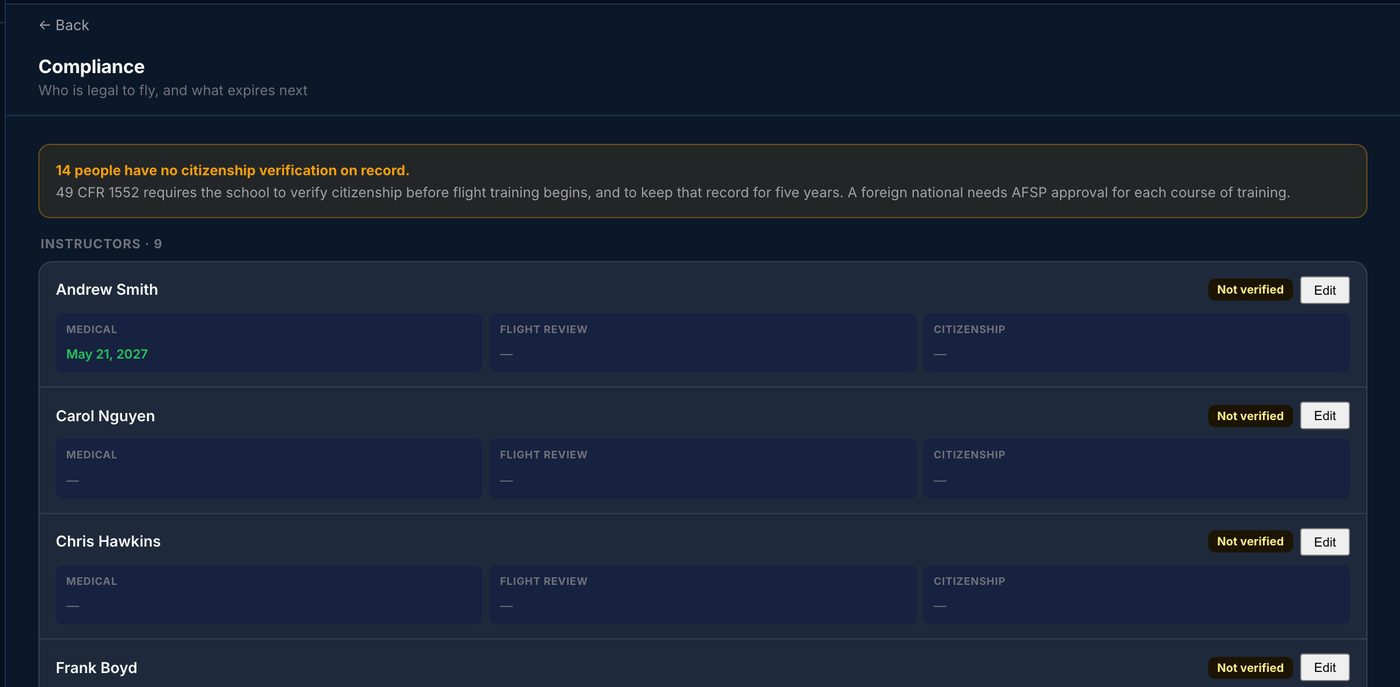
Know who is cleared to fly
Medicals, flight reviews and TSA citizenship verification for every instructor and student, on one roster. PartFive tells you what's missing and reminds you before anything expires.
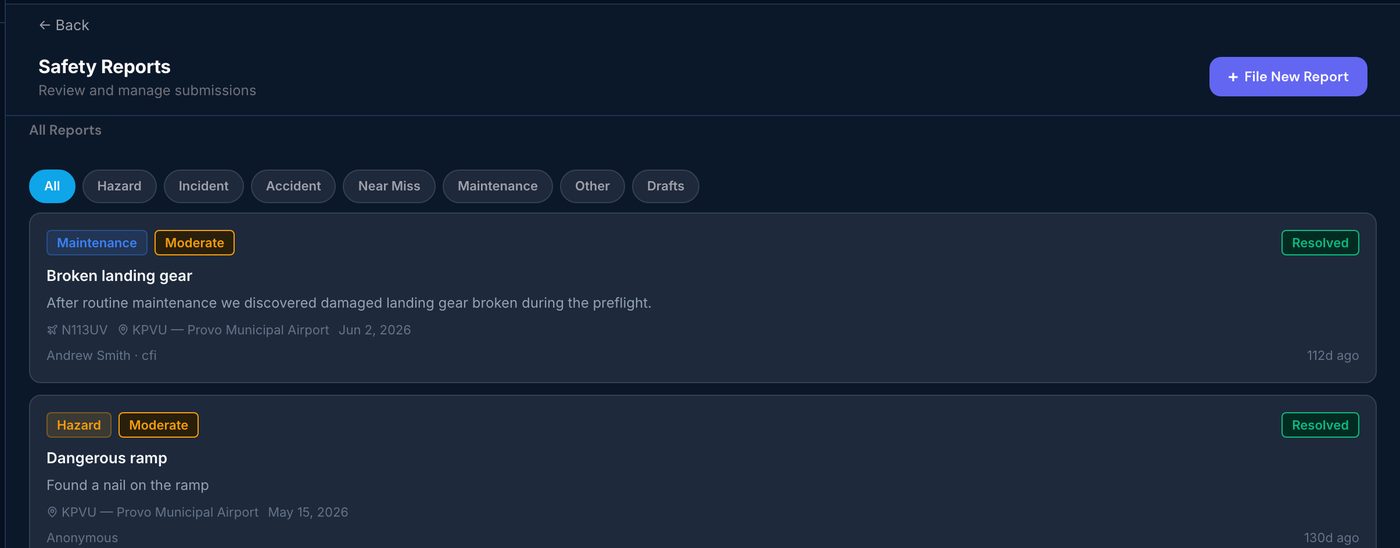
Safety reports, from report to resolution
Anyone can report a hazard, even anonymously. Your safety team assesses the risk, assigns corrective actions and verifies they worked.
Set up in an afternoon.
Create your school
A built-in checklist walks you through adding your aircraft, instructors, chief instructor and syllabus.
Invite your people
Instructors and students join with an invite code. You approve them and assign students to instructors.
Start flying
Schedule, dispatch and check in flights. Records and balances update as you go.
Free while we're in early access.
for every school during early access
- Every feature, no limits on instructors or students
- Help from us getting set up
- Your data is always yours to export
Affordable pricing, coming soon
We're setting pricing with our first schools. We'll tell you well before anything changes, and nothing is charged without your OK.
Good to know
Does it work for Part 141 and Part 61 schools?
Yes, both. Part 141 schools also get chief and assistant chief instructor roles and stage checks.
Is there a mobile app for our instructors?
The school side runs in any web browser, including on a phone or tablet. The iPhone and iPad app is for independent instructors today.
Can our instructors and students each have their own login?
Yes. Everyone gets their own account with the right access for their role, from student to chief instructor.
How do we get our people on?
Share an invite code. Instructors and students join in a minute, and you approve each one.
Get your school organized this week.
Free during early access. Set up in an afternoon.
Instructing on your own? See PartFive for independent CFIs.